Identifying Lovable backend: Lovable Cloud or Supabase
Last edited: October 13, 2026
Overview
When you create a project in Lovable, your app’s backend can be connected to one of two options:
- Lovable Cloud — The backend (Supabase instance) is managed entirely by Lovable.
- Your own Supabase project — The backend is a Supabase project you created and manage directly in your Supabase Dashboard.
Knowing which backend your project uses helps you understand where your database, API keys, and configuration are managed.
How to identify your backend
In the Lovable interface, click the Cloud icon on the top bar of your project editor. This section shows which backend your project is currently connected to.

The Cloud icon appears for all projects, regardless of which backend type you’re using. Click it to see your actual backend configuration.
Once you open the Cloud settings, you see one of two interfaces depending on your backend type:
Lovable Cloud backend
If the page shows a menu and screens to manage your Database tables, and Users from within Lovable (similar to the screenshot below), then your backend is managed by Lovable Cloud.
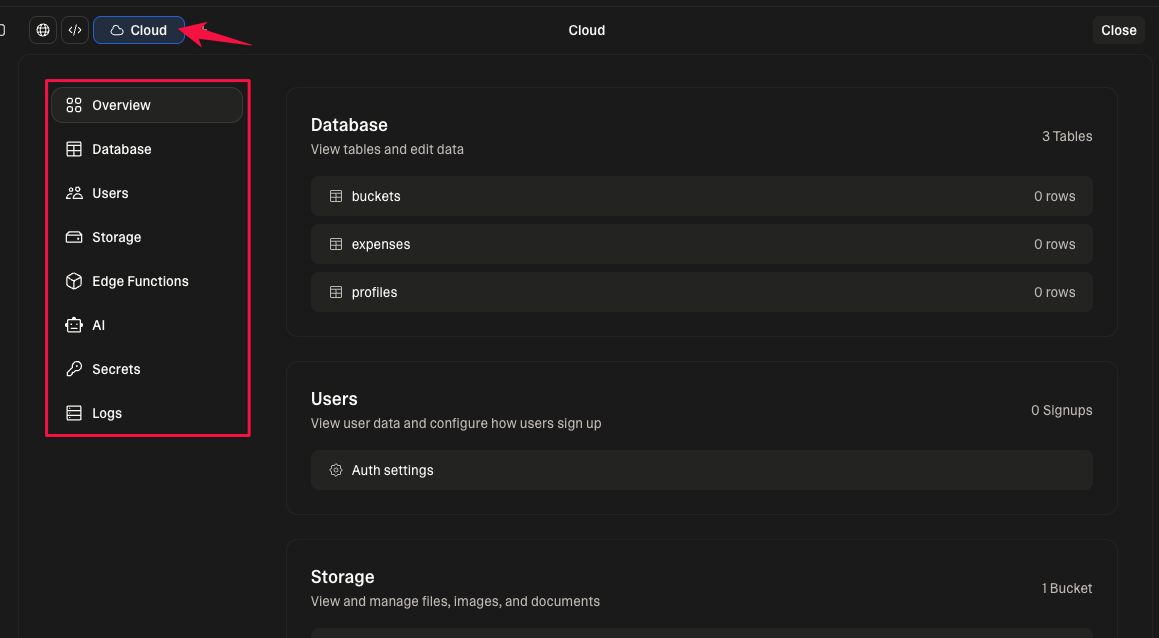
Your Supabase instance in this case is owned and managed by Lovable, not by your personal Supabase account. You won’t see this project in your Supabase Dashboard, and you won’t have access to service role keys or direct database URLs.
Connected Supabase backend
If the page displays the Supabase icon, your Supabase project name, and some links that direct you to the Supabase Dashboard (similar to the screenshot below), then your Lovable project is connected to a Supabase project you manage directly.
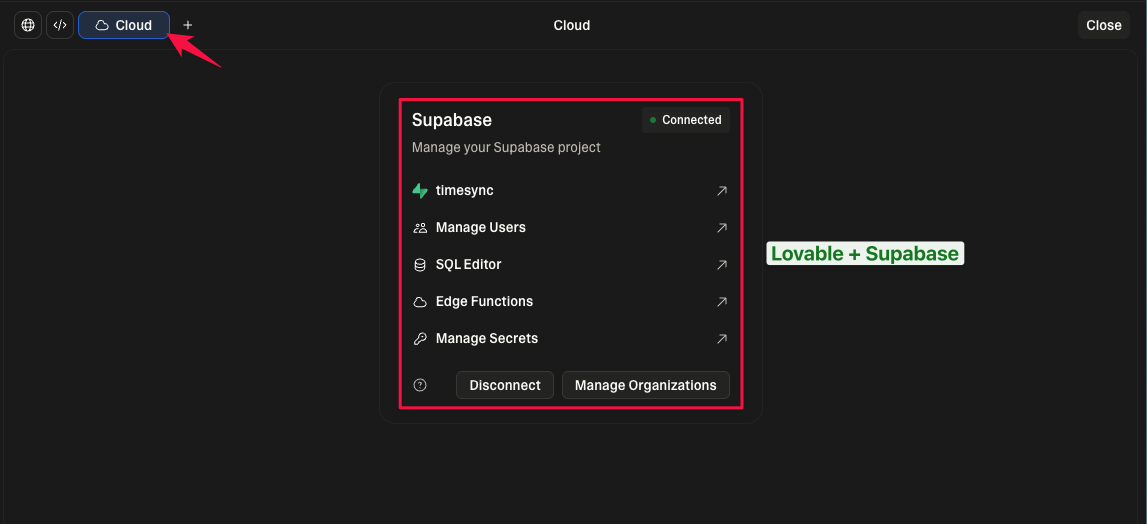
Summary
| Backend Type | Managed By | Appears in Supabase Dashboard | Service Role / DB Access |
|---|---|---|---|
| Lovable Cloud | Lovable | ❌ No | ❌ No |
| Own Supabase Project | You | ✅ Yes | ✅ Yes |
Frequently asked questions
Does this affect where my app is hosted?
No. Lovable Cloud only affects your backend connection (database and APIs), not your app hosting or frontend.
Can I access my database URL or API keys if I’m on Lovable Cloud?
No. Lovable Cloud backend is managed entirely by Lovable, and connection credentials are not exposed.
Can I switch from Lovable Cloud to my own Supabase backend?
There’s no automated way to transfer your backend. You can create a new Supabase project and connect your Lovable app to it manually.
See Lovable’s Project Migration Guide for detailed steps.
Lovable Cloud – specific questions
My project uses Lovable Cloud, can I move it to Supabase?
There’s no automated way to transfer your backend from Lovable Cloud to your own Supabase account.
You can create a new Supabase project and migrate your data manually.
See Can’t Access Your Supabase Project When Using Lovable Cloud for more details.
My project uses Lovable Cloud, but I can’t see my Supabase project.
That’s expected — Lovable Cloud backend is managed by Lovable and doesn’t appear in your Supabase Dashboard.
Learn more in Can’t Access Your Supabase Project When Using Lovable Cloud.