This guide shows how you can transfer your Edge Functions from one project to another using the Supabase CLI or the Supabase Dashboard.
Pre-requisites#
To follow through this guide, you need the following:
- You must have the right access privileges to both the source and target project
- You must have installed the Supabase CLI tool
- Both source and target projects must be active
Steps (using the Supabase CLI):#
- Login to your Supabase account (the account with the functions) using your terminal
supabase loginThis should open up a web page with an access code. Copy the code, paste it in your terminal, and hit enter.
- List all Edge Functions by running the following command
supabase functions list --project-ref your_project_ref- Download the function
supabase functions download function_name --project-ref your_project_refRepeat this step to download multiple functions.
This downloads the function(s) into supabase/functions. You can view the downloaded function(s) by running
ls supabase/functions- Link to the target project
supabase link --project-ref your_target_project_ref- Deploy function(s) to target project
supabase functions deploy --project-ref your_target_project_refThis deploys all functions within the supabase/functions to the target project. You can confirm by checking your Edge Functions on the project dashboard
Steps (using the Supabase Dashboard):#
-
In the source project, navigate to Edge Functions from the side menu
-
Using the
Downloadbutton, download your desired function as zip: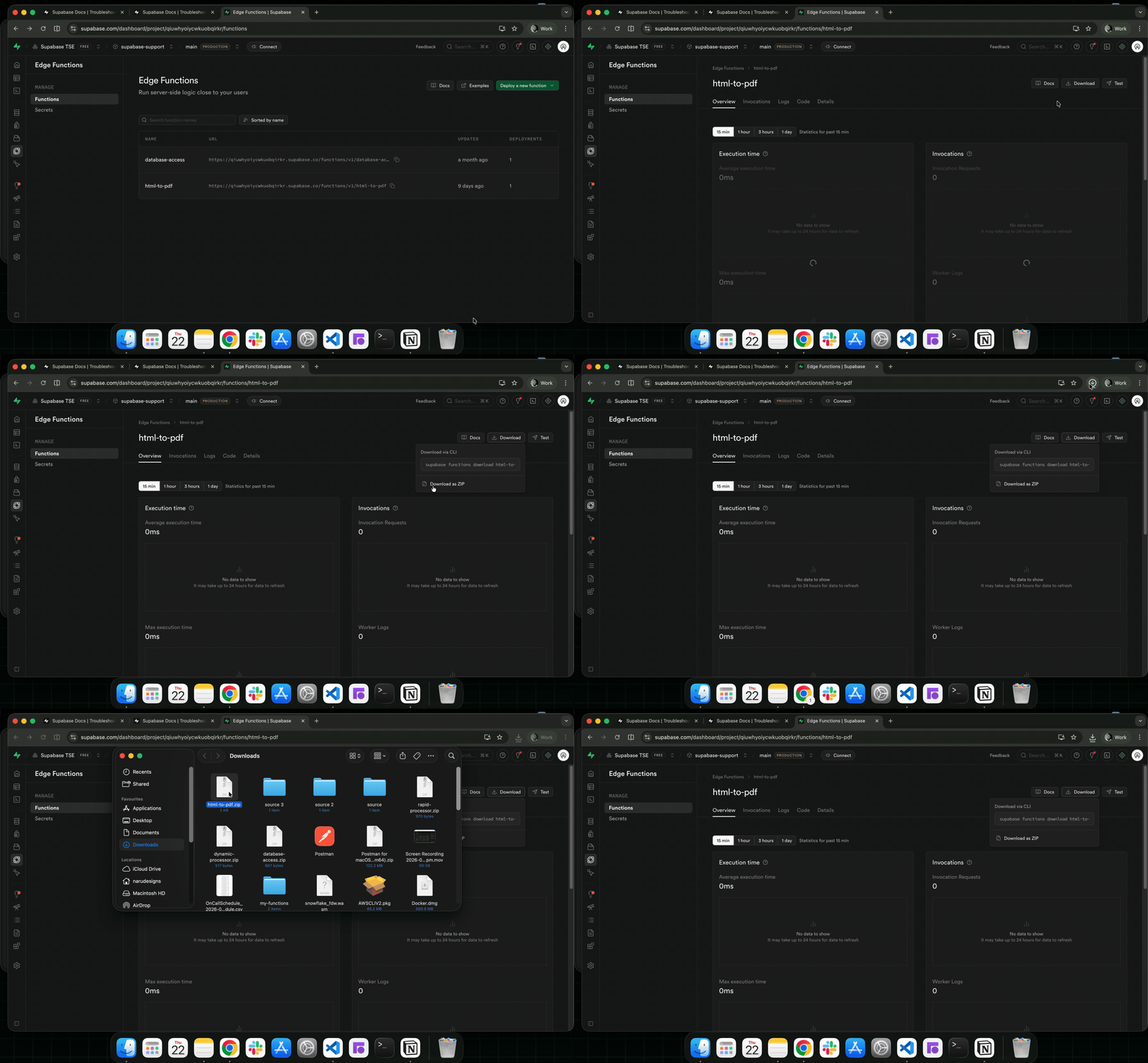
-
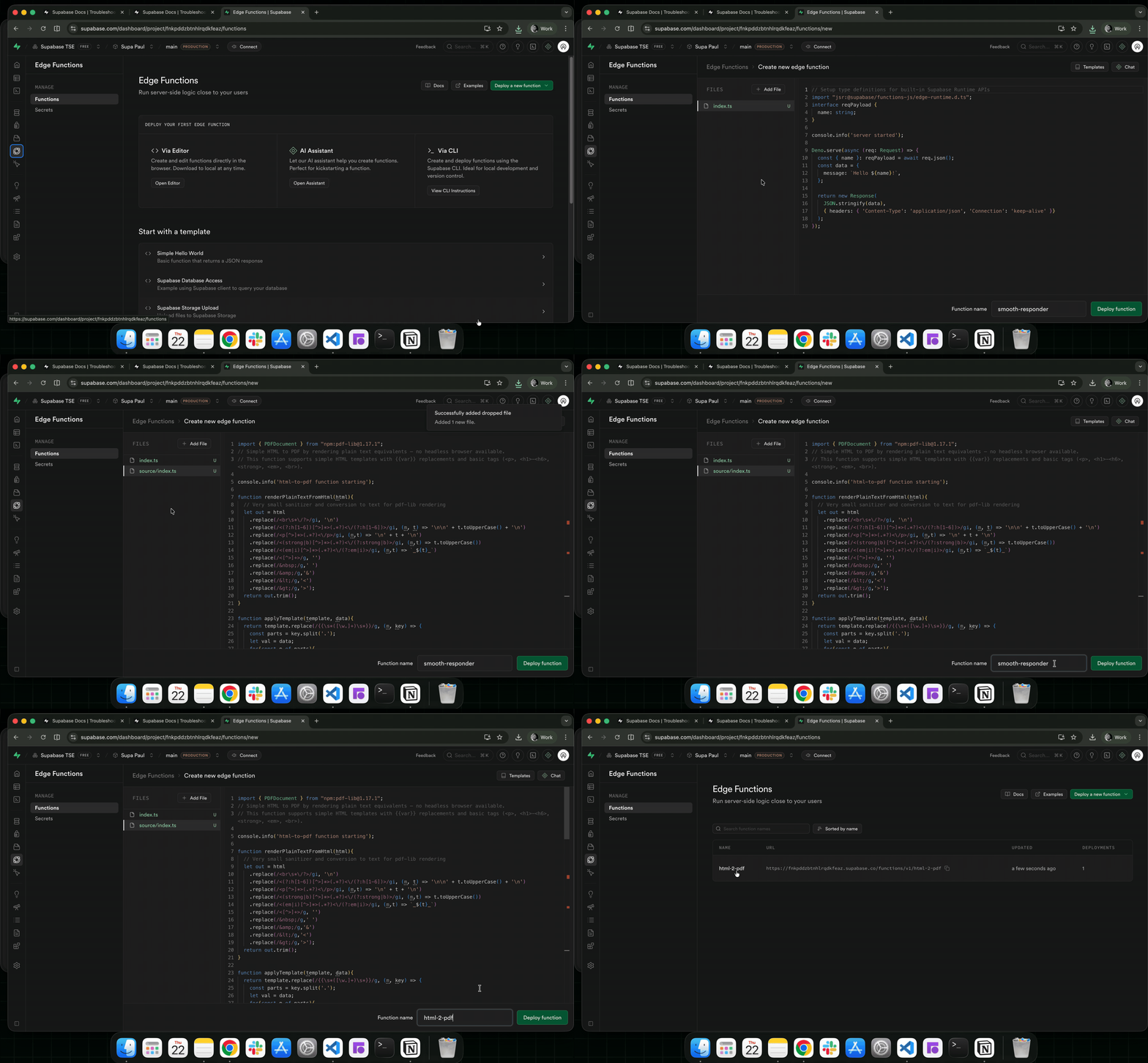
In the target project, navigate to Edge Functions from the side menu
-
Click on the
Deploy a new functionbutton, select Via Editor operation -
Drag and drop your downloaded function (the zip function from step 2) into the editor
-
Add your function name and click on the
Deploy functionbutton to deploy the function:
With this, you can transfer your edge functions between your Supabase projects.