Edge Function 404 error response
The edge function is not recognized by Supabase, or its deployed bundle cannot be found.
Context for the error
If the Supabase Edge Function Runtime does not recognize the function specified in the URL endpoint:
https://PROJECT_REF.supabase.co/functions/v1/UNRECOGNIZED_FUNCTION_NAMEthen the runtime will return a 404 error.
Solving the error
Step 1: Identifying the error
If the tests return a 404 but do not match the criteria below, the error is coming from your app’s logic.
Inspecting the return message from the request
Platform 404 errors cannot be detected in the browser. Instead, to confirm 404s from the browser, you must check the logs instead.
Browsers misreport 404s as generic CORS errors. As a result, the Supabase JavaScript client surfaces only a generic message: Failed to send a request to the Edge Function.
When an edge function fails due to a platform 404 error, it will return the error:
{ "code": "NOT_FOUND", "message": "Requested function was not found"}A different platform 404 error, NOT_FOUND_FUNCTION_BLOB, can occur when the function name is recognized but the runtime cannot find the deployed bundle. This can happen even when the function appears as ACTIVE in the dashboard, because the status shows that the function record exists while the actual deployment bundle is missing or inaccessible:
{ "code": "NOT_FOUND_FUNCTION_BLOB", "message": "Function deployment bundle not found"}The difference between the two errors is:
NOT_FOUND: The function name in the request URL is not recognized.NOT_FOUND_FUNCTION_BLOB: The function name is recognized, but the runtime cannot find the deployed bundle.
Inspecting the logs
Always configure an appropriate time frame when querying the logs
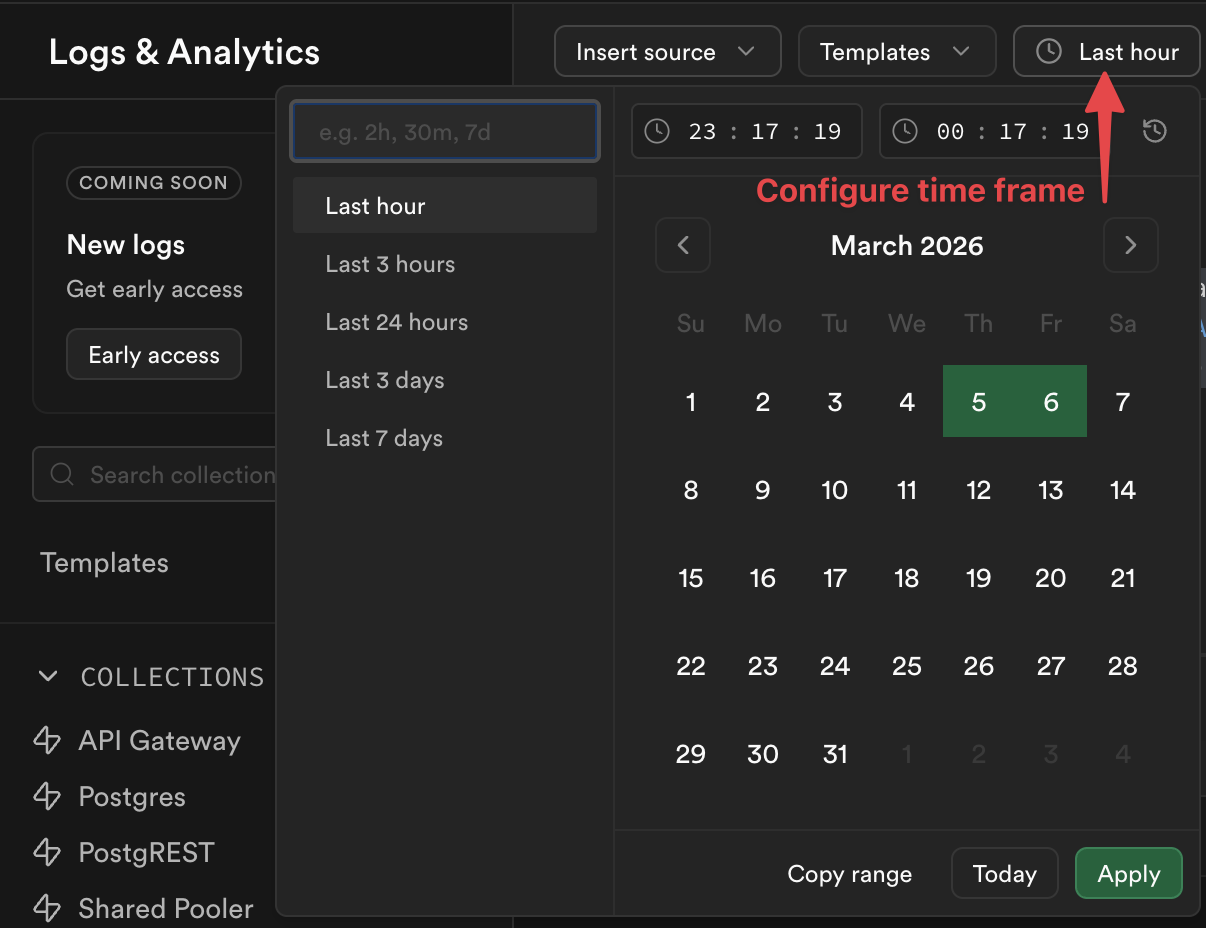
You cannot inspect the function dashboard to find platform 404 errors, instead, run the below query in the SQL Editor. The results show all requests that reached Supabase but were rejected as unrecognizable.
select distinct log_attributes['request.pathname'] as function_name, log_attributes['response.status_code'] as status_code, case when log_attributes['execution_id'] = '' then 'FUNCTION_NOT_FOUND' else 'FUNCTION RECOGNIZED: custom 404 message in app logic' end as type_of_404from logswhere source = 'function_edge_logs' and toInt32OrZero(log_attributes['response.status_code']) = 404limit 10;Step 2: Check the function for typos
In your code, make sure your function name doesn’t have any typos, such as:
- miscapitalization
- em-dashes instead of dashes
- misplaced characters
- unnecessary slashes
///
Step 3: Try calling the function from the dashboard
When selecting your function in the Function Dashboard, you should have the option to make a test call:

If the call works, consider double checking your code for typos or to see if it is overwriting the function name dynamically. Otherwise, go on to step 4.
Step 4: Redeploy the function
If step 3 fails, it may be a sign of an internal bug and it may be necessary to redeploy your function. The same applies if you see the NOT_FOUND_FUNCTION_BLOB error, which means the function is recognized but its deployed bundle cannot be found. This can occur even when the function appears as ACTIVE in the dashboard.
This can be done within the Function Dashboard under the respective function’s code tab:
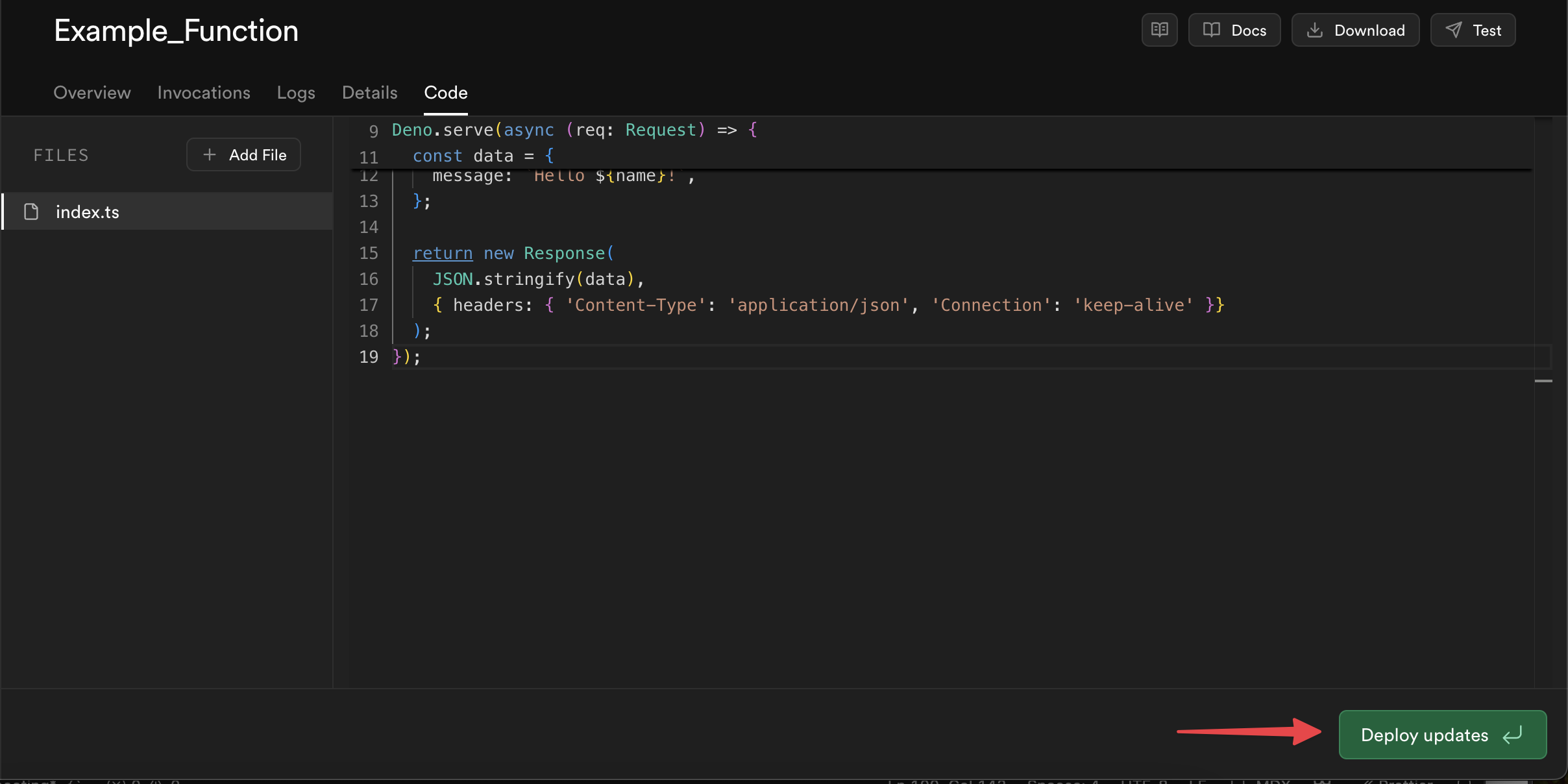
Alternatively, if you develop locally, you can redeploy the function with the Supabase CLI:
# Redeploy one affected functionsupabase functions deploy FUNCTION_NAME# Or redeploy all functions if several are affectedsupabase functions deployAfter redeploying, retry the request. If the error persists, write in a ticket to Supabase Support.
Additional resources
- Securing Edge Functions
- Debugging Edge Functions
- Quickstart Deployment: Dashboard
- Quickstart Deployment: CLI