Platform Audit Logs
This topic covers how to view and stream Platform Audit Logs for your organization.
Any Platform API or dashboard actions performed by organization members are logged automatically for auditing and security purposes. This includes actions such as creating a new project, inviting members, modifying an edge function or changing project settings. You can view these logs in the dashboard or stream them to an external destination using Audit Log Drains.
Besides Platform Audit Logs, Supabase Auth also provides Auth Audit Logs to monitor authentication-related activities within your projects.
Platform Audit Logs are only available on the Team and Enterprise plans.
Accessing audit logs#
Platform Audit Logs can be found under your organization's audit logs.
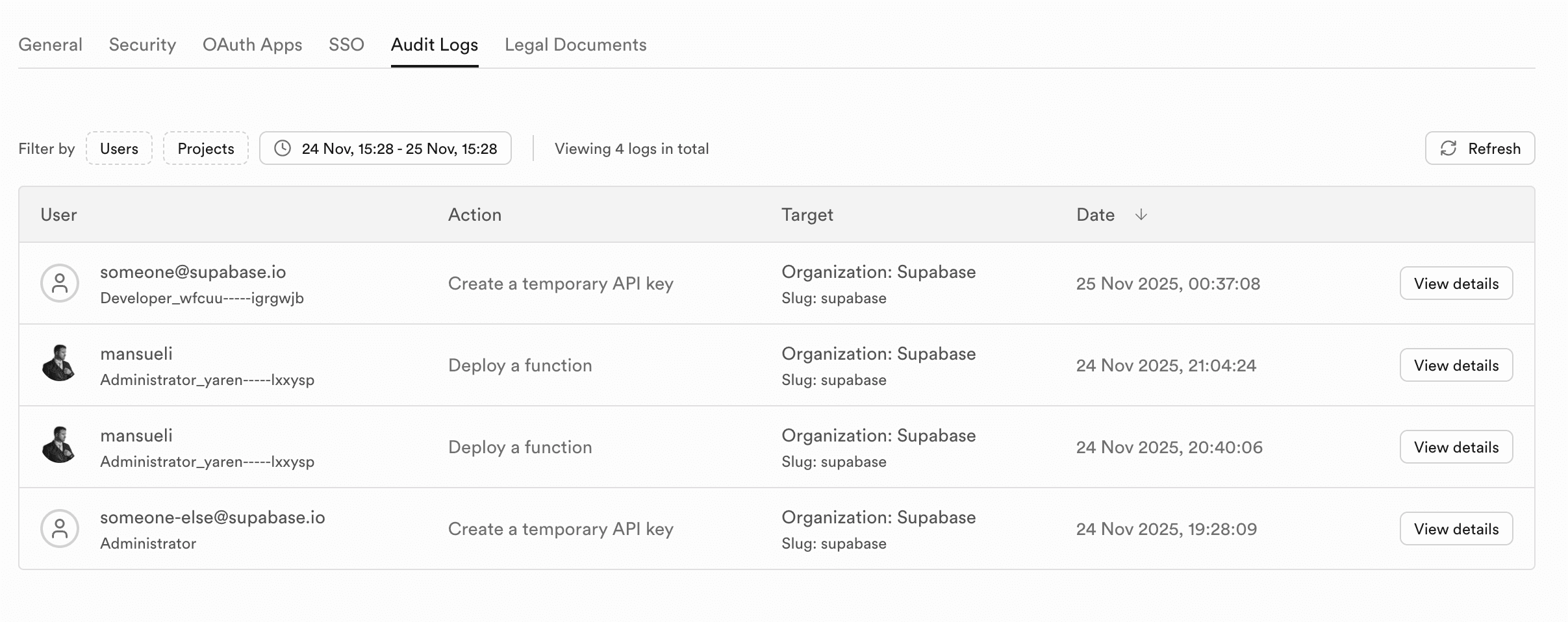
For each audit log, you can see additional details by clicking on the log entry:
- Timestamp of action
- Actor who performed the action
- IP address
- Token Type
- Action performed
- Name
- Metadata such as route and response status
- Action Target (Project, organization, Edge Function, ...)
Each Supabase user account also has access to Account Audit logs which displays these logs for only the associated user account.
Accessing Audit Log Drains#
Audit Log Drains can be configured under your organization's audit log drains. For setup instructions and supported destinations, see the Log Drains guide.
Limitations#
- There is currently no way to export the logs via dashboard
- Retention periods depend on your plan