Query with Postgres
Query analytics bucket data directly from Postgres using SQL.
Once your data flows into an analytics bucket through your own ingestion pipeline, you can query it directly from Postgres using standard SQL.
This is made possible by the Iceberg Foreign Data Wrapper, which creates a bridge between your Postgres database and Iceberg tables.
About ingestion
Replication into Analytics Buckets via Supabase Pipelines is no longer supported. This guide assumes your Analytics Bucket is being populated by your own ingestion pipeline.
Setup overview#
You have two options to enable querying:
- Dashboard UI (recommended) - Streamlined setup through the Supabase Dashboard
- Manual installation - Install the wrapper using SQL and configuration
Installing via Dashboard UI#
The dashboard provides the easiest setup experience:
- Navigate to your Analytics Bucket page in the Supabase Dashboard.
- Locate the namespace you want to query and click Query with Postgres.

- Enter the Postgres schema where you want to create the foreign tables.
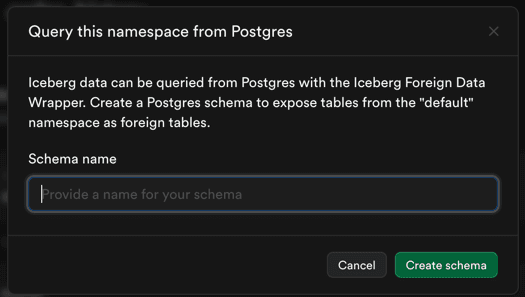
- Click Connect. The wrapper is now configured.
Querying your data#
Once the foreign data wrapper is installed, you can query your Iceberg tables using standard SQL:
select *from schema_name.table_namelimit 100;Common query examples#
Get the latest events:
select event_id, event_name, event_timestampfrom analytics.eventsorder by event_timestamp desclimit 1000;Join with transactional data:
SELECT e.event_id, e.event_name, u.user_emailFROM analytics.events eJOIN public.users u ON e.user_id = u.idWHERE e.event_timestamp > NOW() - INTERVAL '7 days'LIMIT 100;Manual installation#
For advanced use cases, you can manually install and configure the Iceberg Foreign Data Wrapper. See the Iceberg Foreign Data Wrapper documentation for detailed instructions.