

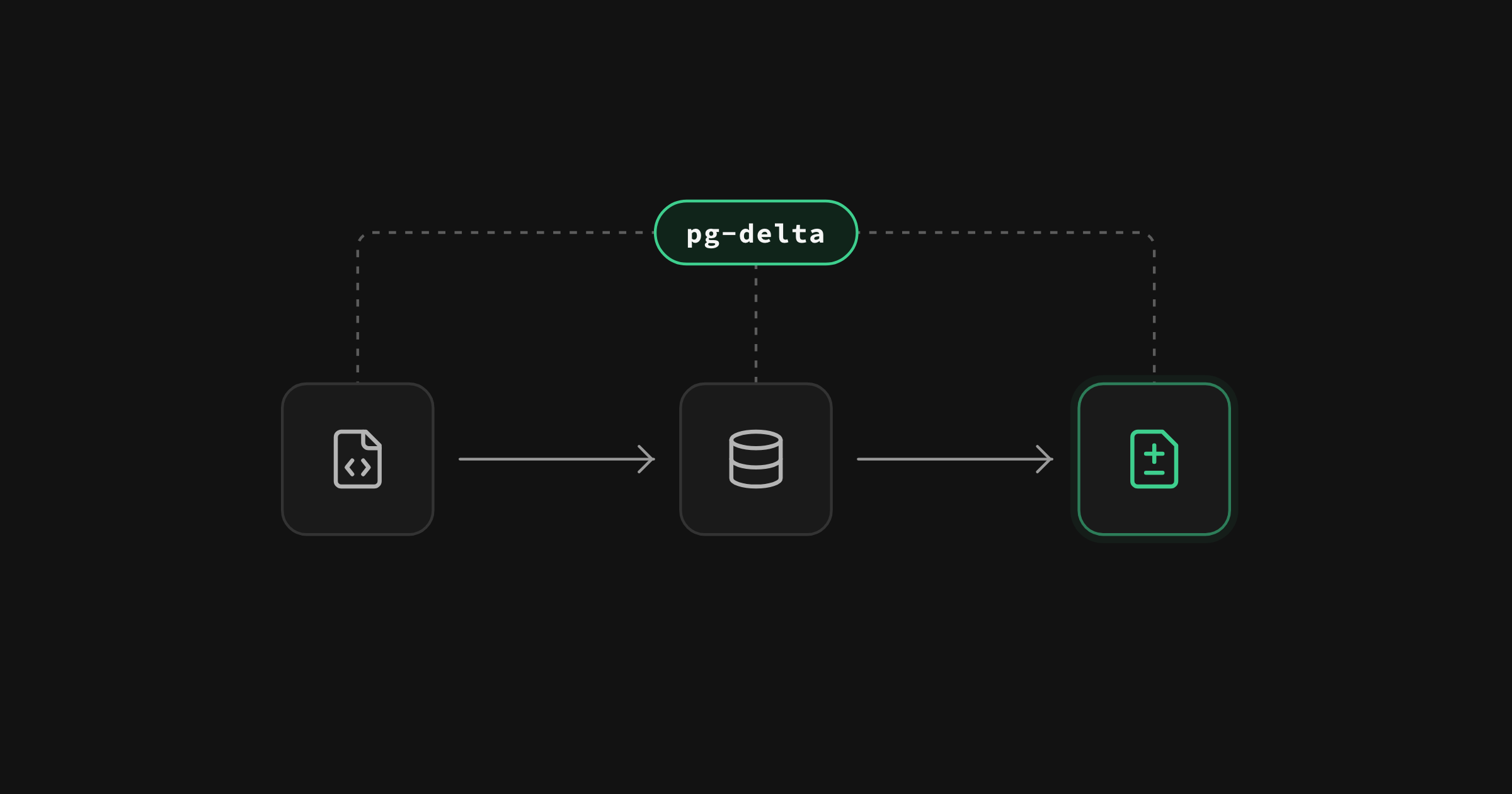
On October 2 at Supabase Select we shipped Declarative Schemas 2.0. The Supabase CLI now generates migrations with pg-delta, a Postgres diff tool we wrote and open sourced, in place of migra, the technology behind our original implementation. Generated migrations now include RLS policy changes, grants, view settings, partitions, domains, and objects that extensions manage.
Declarative schemas first launched in April 2025. You keep your schema in SQL files under supabase/schemas/, edit them, and the CLI writes the migration. In 2.0 that workflow is the same: edit a file, generate the migration, review it, and apply it. New CLI projects get 2.0 by default. Existing projects opt in with one config block.
In this post we cover why we built pg-delta, how to turn it on, a working example, and what it does not do yet.
Why we built pg-delta#
migra is an open source Python tool that diffs two Postgres databases and emits the SQL between them. It has powered supabase db diff since the first CLI prototype in 2021.
migra didn't understand domains, publications, or comments. Changes to them never appeared in the diff. You read every generated migration line by line to find what was missing. The limitations list in our docs kept growing and the answer for each entry was the same, write a versioned migration by hand.
Coverage was only half the problem. Supabase manages part of every project's schema. The auth schema belongs to the Auth service and should never appear in your diff. A trigger on auth.users that calls a function in public to create a profile row is yours and has to appear. The same split runs through roles, grants, and extension-owned objects. migra could only filter at the schema level so it had no way to keep auth out while keeping that trigger in. We needed an engine that decides per object what belongs to you and what belongs to Supabase.
We felt these gaps ourselves. We use migra on our own middleware database, and our repository carries dozens of migrations with hand-written patches for the grants and privileges it didn't track. Extending it further meant fighting its design. So we wrote our own engine from scratch and open sourced it.
Declarative schemas (migra) | Declarative Schemas 2.0 (pg-delta) | |
|---|---|---|
| Tables, columns, constraints, indexes, functions, triggers | Yes | Yes |
| RLS policies | Create and drop only. No alter policy. | Create, drop, and alter |
security_invoker on views | Silently dropped from the view definition | Preserved |
| View owner and grants | Not diffed | Diffed |
| Column privileges | Not diffed | Diffed |
| Indexes on materialized views | Lost when the view is recreated | Restored |
| Comments | Not diffed | Diffed |
| Roles | Not diffed | Diffed |
| Domains | Not diffed | Diffed |
| Publication membership | Not diffed | Diffed |
| Objects the engine doesn't support | Silently omitted | Warned. --strict-coverage fails CI |
| File ordering | Alphabetical, or hand-ordered in schema_paths | Dependency graph from the catalog |
| Export an existing database to schema files | Not available | db schema declarative generate |
| Local stack while generating | Had to be stopped | Can stay running |
How pg-delta builds a migration#
The CLI starts two throwaway Postgres databases. It loads your schema files into one and replays your migration history into the other. pg-delta then compares the two by reading the system catalog, and orders the output using a dependency graph built from that catalog. You no longer hand-order files in schema_paths.
Everything migra's docs listed as unsupported is now in the diff. It also covers partitions, publications, subscriptions, and foreign tables.
Objects that an extension owns are changed through the extension's own API. pg-delta never emits create table or drop table for pg_partman partitions or pgmq queue tables. It emits calls like select pgmq.drop_queue('q');, and the CLI flags them as destructive.
Unsupported objects produce a warning. Pass --strict-coverage to turn those warnings into errors so CI fails.
The output is a plain SQL file in supabase/migrations/. Hand-written migrations keep working. Once pg-delta is on, db diff and db pull use it too.
Turning pg-delta on#
You need Supabase CLI 2.119 or later. pg-delta ships under the [experimental.pgdelta] section of config.toml. New projects get it from supabase init. Existing projects add the block themselves:
_10[experimental.pgdelta]_10enabled = true
The two shadow databases run in Docker or Podman by default. If you've turned on the experimental stack commands, they can run on the native runtime instead.
Projects that haven't added the section keep running migra, and every command they use today keeps working. The next major version of the CLI will make pg-delta the default for every project. Setting enabled = false will keep migra for projects that need it.
If you already used declarative schemas on migra, expect a catch-up migration on your first supabase db pull. Then switch your scripts from supabase db diff to supabase db schema declarative sync. The diff engines guide walks through the switch, the flags for falling back to migra, and the config options.
From schema file to migration in four steps#
1. Declare your schema
Create a file under supabase/schemas/. One file per table works well but the layout is up to you.
_11-- supabase/schemas/profiles.sql_11create table "public"."profiles" (_11 "id" uuid primary key references auth.users (id),_11 "display_name" text not null_11);_11_11alter table "public"."profiles" enable row level security;_11_11create policy "Users can read their own profile"_11 on "public"."profiles" for select_11 using ((select auth.uid()) = id);
2. Generate the migration
_10supabase db schema declarative sync -f create_profiles --no-apply
The CLI diffs your schema files against your migration history and writes the result to supabase/migrations/<timestamp>_create_profiles.sql:
_18CREATE TABLE "public"."profiles" (_18 "id" uuid NOT NULL,_18 "display_name" text NOT NULL,_18 CONSTRAINT "profiles_pkey" PRIMARY KEY (id)_18);_18_18ALTER TABLE "public"."profiles"_18 ENABLE ROW LEVEL SECURITY;_18_18ALTER TABLE "public"."profiles"_18 ADD CONSTRAINT "profiles_id_fkey" FOREIGN KEY (id) REFERENCES auth.users(id);_18_18CREATE POLICY "Users can read their own profile" ON "public"."profiles"_18 FOR SELECT_18 TO PUBLIC_18 USING ((( SELECT auth.uid() AS uid) = id));_18_18GRANT DELETE, INSERT, MAINTAIN, REFERENCES, SELECT, TRIGGER, TRUNCATE, UPDATE ON TABLE "public"."profiles" TO "anon", "authenticated", "postgres", "service_role";
The grant at the end reflects the default privileges Supabase applies to new tables in public. The CLI emits it as one statement per role. It is condensed to one line here. The privileges in the grant depend on your Postgres version, and MAINTAIN appears on Postgres 17 and later. If you haven't customized permissions, it is safe to leave in or remove.
The schema files are the source of truth, so sync never reads the live database. A change made in the dashboard or the SQL editor won't appear in the migration until it is in the files. Pull it in with supabase db pull --declarative or edit the files directly. Then sync again. db pull --declarative refreshes the files only. If the change is already live on your linked project, run supabase db pull first so your migration history records it. Otherwise the next sync generates it again. db push then fails because the object already exists on the project.
3. Review and apply
Read the generated migration as you would any other. Then apply it locally and push it to your linked project.
_10supabase start_10supabase migration up_10supabase db push
Pay extra attention to anything the CLI flags as destructive. pg-delta prioritizes coverage and correctness over producing the least destructive migration. A renamed column, for example, comes out as a drop followed by an add. Running that migration unchanged would wipe the column's data. The CLI flags the drop but it cannot know you meant a rename. Less destructive migrations are on the roadmap. Until then, rewrite flagged statements by hand before you apply.
4. Change the schema and sync again
Edit the same file. Add a column, restrict the policy to signed-in users, and add a view that reads from the table. The three edits are marked -- new.
_18-- supabase/schemas/profiles.sql_18create table "public"."profiles" (_18 "id" uuid primary key references auth.users (id),_18 "display_name" text not null,_18 "avatar_url" text -- new_18);_18_18alter table "public"."profiles" enable row level security;_18_18create policy "Users can read their own profile"_18 on "public"."profiles" for select_18 to authenticated -- new_18 using ((select auth.uid()) = id);_18_18-- new_18create view "public"."public_profiles"_18 with (security_invoker = true) as_18 select id, display_name from public.profiles;
_10supabase db schema declarative sync -f add_public_profiles --no-apply
This time the CLI writes supabase/migrations/<timestamp>_add_public_profiles.sql with just the delta:
_10ALTER TABLE "public"."profiles"_10 ADD COLUMN "avatar_url" text;_10_10CREATE VIEW "public"."public_profiles" WITH (security_invoker=true) AS SELECT id,_10 display_name_10 FROM public.profiles;_10_10ALTER POLICY "Users can read their own profile" ON "public"."profiles" TO "authenticated";_10_10GRANT DELETE, INSERT, MAINTAIN, REFERENCES, SELECT, TRIGGER, TRUNCATE, UPDATE ON TABLE "public"."public_profiles" TO "anon", "authenticated", "postgres", "service_role";
The new migration contains only the column, the alter policy, and the view.
The view keeps its security_invoker setting. That setting makes the view run with the caller's permissions. The RLS policy on profiles still applies to anyone who queries it. Without the setting, the view runs as its owner and RLS no longer applies.
Views and functions are where editing in place pays off most. The pull request's diff of the schema file shows only the lines that changed. The generated migration still carries the full view definition.
Start from an existing database#
If you already have a database and no schema files, you don't need to write the first file by hand. Export what you have:
_10supabase db schema declarative generate --linked
This writes one SQL file per object under supabase/schemas/, grouped by database schema. From there the loop is the same: edit a file, sync, review, apply. If your project has no migration history yet, run supabase db pull once first so sync has a baseline to diff against. The declarative schemas guide covers the file layout and how to refresh the files from a remote database later.
We built pg-delta twice#
The pg-delta in this post is the second one we built. The first engine powered branch merge diffs in the dashboard from February 2026 and the CLI from March, went out as a public alpha in April, and stayed in production until August. It worked. A few months of production traffic showed us where its design would stop scaling. Its knowledge of Postgres lived in several places at once. A parser inferred types from SQL text while a separate layer read the catalog. Whenever the two disagreed, the diff was wrong. Every new thing we taught the engine was another chance for them to disagree.
In June we started over with one rule: Postgres is the only thing that understands Postgres. The new engine never parses SQL. Because it only reads what a real Postgres built, the CLI loads your files into a shadow database rather than parsing them itself. Within a month of shipping in August as alpha.34 of the same @supabase/pg-delta package, the rewrite had replaced the first engine everywhere we use it. Dashboard branching computes merge diffs with it. Realtime exports its tenant schema with it and uses that snapshot to detect drift in production.
pg-delta runs without Supabase#
pg-delta is open source at supabase/pg-delta under the PostgreSQL License. It ships on npm as @supabase/pg-delta and installs a pgdelta command. Point it at any two Postgres databases from version 14 through 18. plan computes the migration between them and render writes it out as SQL:
_10npx @supabase/pg-delta@alpha plan --source "$SOURCE_URL" --desired "$DESIRED_URL" --out plan.json_10npx @supabase/pg-delta@alpha render --plan plan.json --out migration.sql
pg-delta is still in alpha. Breaking changes can land between releases and we don't rule out larger architectural changes before a stable release. If a generated migration looks wrong, open an issue or submit a support ticket with the schema that produced it.
What stays out of scope#
pg-delta generates schema changes rather than data changes. It creates tables, policies, and functions. It never writes an insert, update, or delete for the rows in your tables.
There is one exception. Some extensions store their configuration as rows. A pg_cron job, for example, is a row in cron.job. pg-delta treats those rows as part of your schema. It changes them through the extension's own functions. A new job comes out as cron.schedule_in_database and a removed job as cron.unschedule. A changed job comes out as cron.unschedule followed by cron.schedule_in_database. pgmq works the same way. A queue is a pair of tables that pgmq.create builds for you, plus a row in pgmq.meta. pg-delta never emits create table or drop table for those tables. It emits pgmq.create and pgmq.drop_queue instead and the CLI flags the drop as destructive.
Storage buckets are not included today. A bucket is a row in storage.buckets. pg-delta does not diff its rows. A bucket you create in the dashboard will not show up in your schema files. Until that changes, create buckets in a seed file or a hand-written migration instead. The RLS policies on storage.objects are a different story. They are schema and are diffed.
Declarative Schemas 2.0 is a diff engine and a set of CLI commands. It does not include:
- Zero-downtime rollout orchestration. The output is a plain SQL migration. Running it safely against production is still your job.
- An ORM plugin or a TypeScript schema DSL. The schema files are SQL and nothing else.
- Postgres 13 or older. The engine supports Postgres 14 through 18.
Getting started#
- To try it, add
[experimental.pgdelta]withenabled = truetoconfig.toml, write a schema file undersupabase/schemas/, and runsupabase db schema declarative sync. Already have a database? Runsupabase db schema declarative generate --linkedto export it first. The declarative database schemas guide covers the rest. - Already using declarative schemas on
migra? The diff engines guide walks through the switch. - Writing migrations by hand? Nothing changes. Add the same config block when you want the new diff behind
db diffanddb pull. - Using Postgres outside Supabase? The engine is at supabase/pg-delta.