

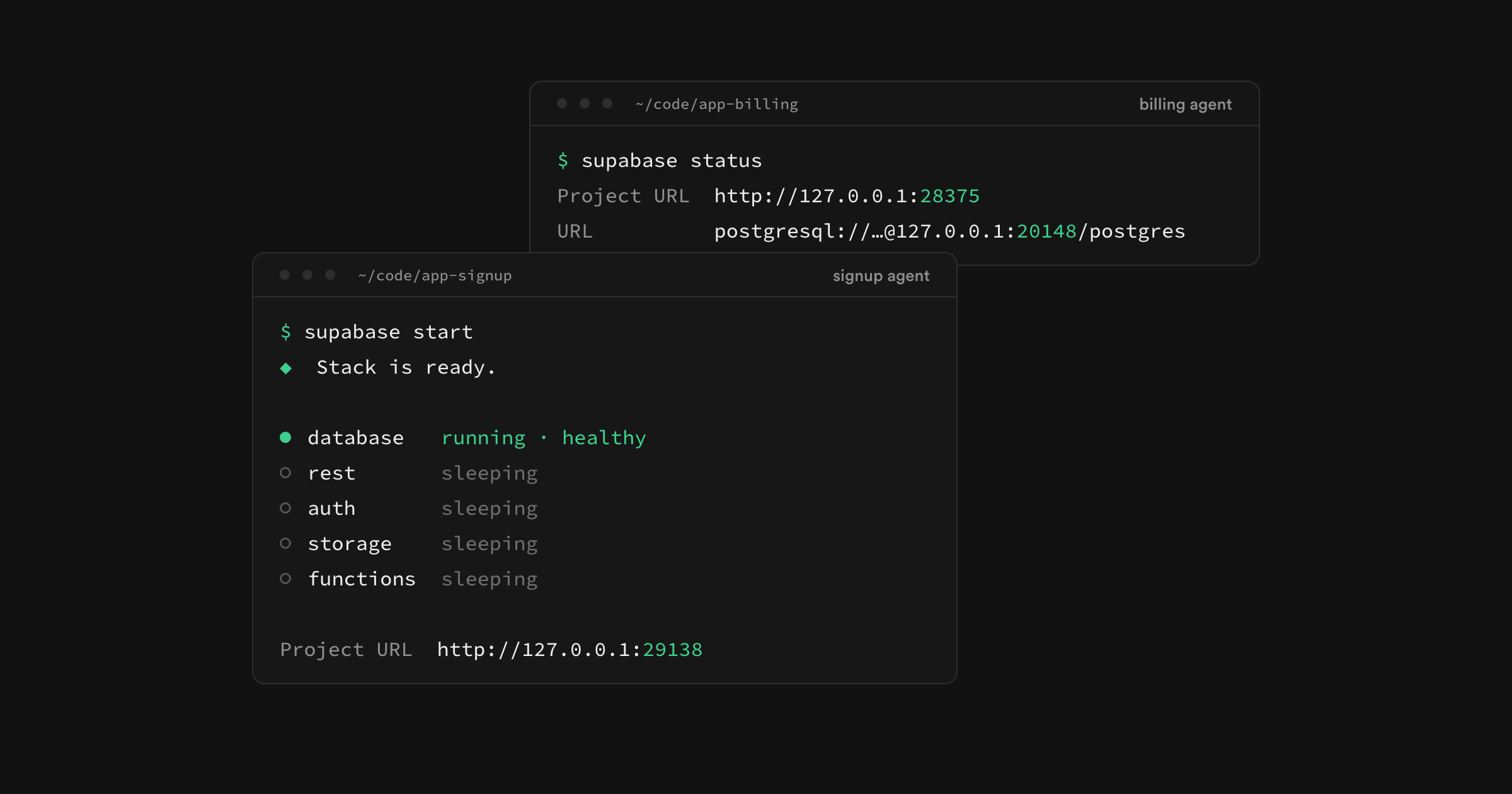
The Supabase CLI now runs several local projects on one machine, one per git worktree, and runs them without Docker. Each coding agent gets its own database to reset, migrate, and test against while the others keep working. Local projects start in seconds and use about a tenth of the memory, and the remote branch that picks up the work when a pull request opens is nearly five times faster.
Multiple projects and the native runtime ship in CLI v2.119.0 behind an experimental flag. Faster branches are on for every project today.
Each agent gets its own project#
Suppose one agent is adding billing while another reworks signup. Give each one a git worktree and run supabase start in both:
_10git worktree add ../app-billing -b billing_10git worktree add ../app-signup -b signup_10_10cd ../app-billing && supabase start_10cd ../app-signup && supabase start
Each worktree gets its own Postgres, Storage, Edge Functions, and MCP server, on ports the CLI picks and remembers across restarts. The billing agent can run supabase db reset whenever it likes and the signup agent's tests never notice. Agents read their URLs and keys from supabase start --output-format json instead of assuming the defaults, and with Declarative Schemas 2.0 they edit schema files and let the CLI write the migration.
No more coordinating project IDs or ports by hand, which has been one of the most requested changes to the CLI.
Projects start in seconds and stay small#
supabase start brings up Postgres and leaves every other service asleep until its first request. If your task never touches Storage, Storage never runs. Sleeping services use no CPU or memory, stop again when idle, and wake on the next request. Pass --eager if you want everything up front.
| Measurement | Default engine | Docker runtime | Native runtime |
|---|---|---|---|
| Start a project, artifacts cached | 37 s | 5.2 s (86% faster) | 3.9 s (90% faster) |
| Restart with existing data | 32 s | 2.1 s (93% faster) | 1.4 s (96% faster) |
| First start, empty cache | 93 s | 18 s (81% faster) | 16 s (82% faster) |
| Download size | 1.9 GB | 550 MB (72% smaller) | 360 MB (81% smaller) |
| Idle memory, default settings | 2.6 GiB | 290 MiB (89% less) | 290 MiB (89% less) |
Nine idle projects now fit in the memory one used to take, which is what makes a project per worktree practical on a laptop.
No Docker required#
Agents increasingly work in hosted sandboxes and CI runners that have no container engine. The native runtime runs all 13 Supabase services as plain processes, at the same pinned versions as the Docker images, with the full Postgres extension set including pgvector. When Docker isn't available the CLI picks it for you, or select it directly:
_10supabase start --runtime native
It runs on Linux (amd64 and arm64, glibc 2.35 or later) and macOS 14 or later on Apple silicon. Docker stays the default when it's present and is still the better fit for several projects on one laptop, since each container gets its own network and file system. Think of native as one project per sandbox. Running Supabase locally without Docker has been a long-running request too.
Branches are ready nearly five times faster#
When the pull request opens, a remote branch gives reviewers a URL to point a build at, and that branch now arrives configured like the project it came from. Auth, Storage, network restrictions, and deployed Edge Functions all carry over at creation, with function bundles copied in parallel so a project with 40 functions comes up as fast as one with two. Secrets stay behind and production data stays out unless you choose to branch with it, so the branch is safe to hand to a reviewer the moment it's ready.
| Time to ready | Before September rollout | After | Improvement |
|---|---|---|---|
| Median (p50) | 102 s | 21 s | 4.8x faster |
| 95th percentile (p95) | 7.6 min | 41 s | 11x faster |
Get started#
Update to CLI v2.119.0 or later and turn on the experimental engine. For a new app:
_10SUPABASE_EXPERIMENTAL_STACK=1 supabase init
For an existing app, add stack = true under [experimental] in supabase/config.toml and follow the port-removal checklist before your first start. Commit the file so every worktree gets the setting.
Then pick the setup that matches where your agents work:
- Several agents on your computer: run Docker or Podman, give each agent its own worktree, and run
supabase startin each. The multiple local projects guide covers listing, stopping, and removing projects. - One project in a sandbox or CI runner: run
supabase start --runtime nativeon a supported platform. No container engine needed. The runtimes guide covers sandbox setup and download allowlists. - A branch on a pull request: nothing to turn on. Branches already inherit their base project's configuration, and the Branching guide covers each way to create one.
The experimental engine keeps its data separate from your existing local project, and its flags and output can still change, so read the differences and limitations before moving a workflow over.
Have feedback? Please share it in the CLI repo.