

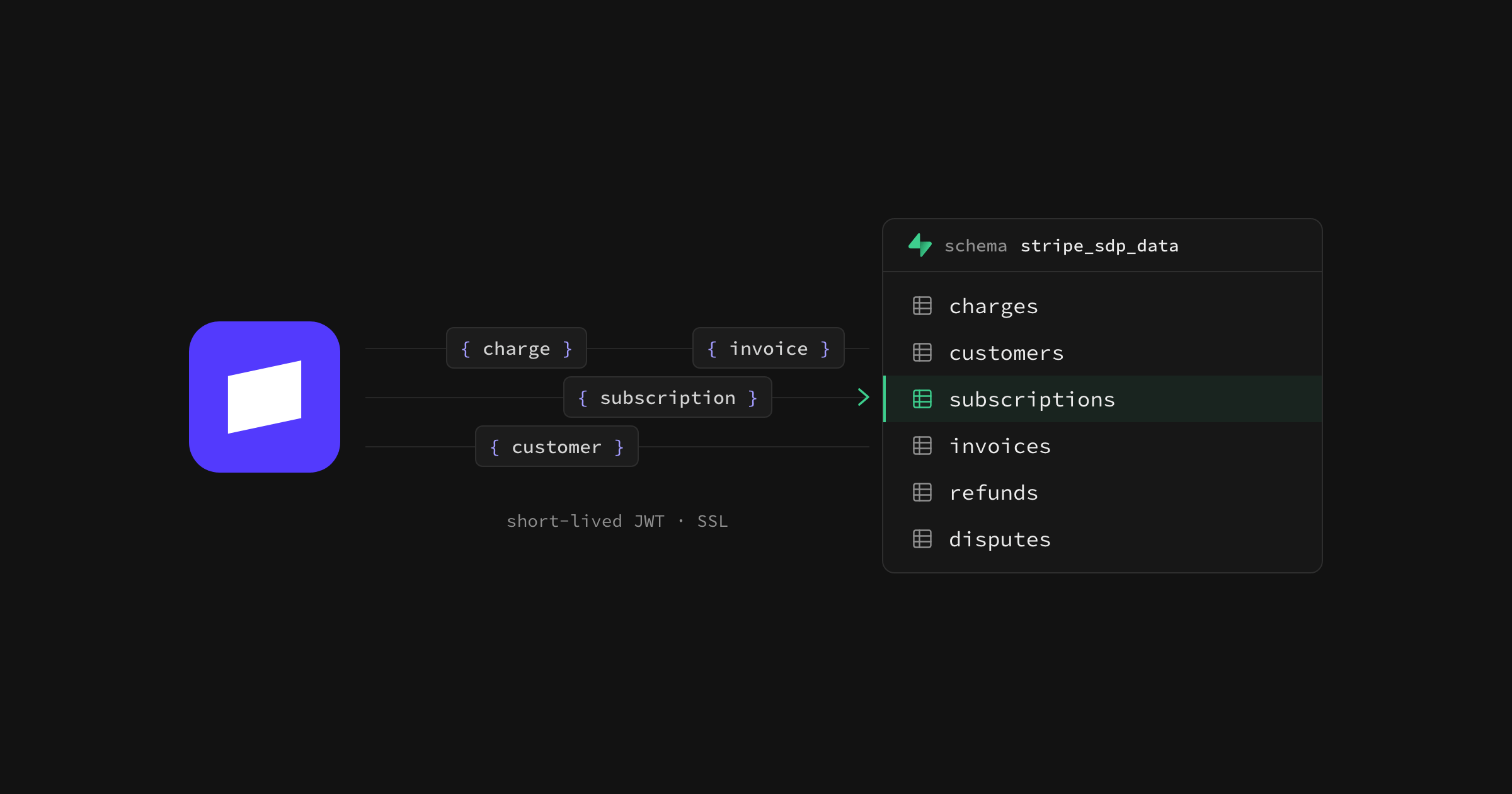
You can now sync your Stripe data to a Supabase project straight from the Stripe Dashboard. Stripe Data Pipeline backfills your data and keeps it in sync, with no webhooks to maintain and no API rate limits to work around. Your payment, customer, subscription, and other Stripe data land in a schema in your own database, where you can query them alongside everything else your app stores.
Why we built this#
A significant proportion of businesses built on Supabase take payments with Stripe, and until now that revenue data has lived on the other side of an API. If you wanted it in your database, you wrote webhook handlers, dealt with retries and ordering, and kept your own copy of Stripe's schema up to date as it changed. Stripe Data Pipeline already solved this for teams with a warehouse like Snowflake or Google BigQuery, but a developer who just wanted their Stripe data in Postgres had no direct path into it.
Stripe's latest evolution of Data Pipeline adds Postgres as a destination, and Supabase is one of the first Postgres providers you can connect. The result is the same reliability Stripe's customers get from Data Pipeline, pointed at the database your app already runs on.
Connect a project from the Stripe Dashboard#
Setup happens inside the Stripe Dashboard. Under Reporting, open Data management and choose Data Pipeline, then select Postgres and Supabase as the destination. You'll sign in with Supabase and pick the project you want to connect. From there, Stripe handles the rest.
- Stripe backfills your historical data, then keeps it continuously in sync
- Charges, refunds, disputes, customers, subscriptions, invoices, and more arrive as tables in a dedicated schema with a
stripe_sdpprefix in your database - You query them with standard SQL, the same way you query any other table in your project
- Charges, refunds, disputes, customers, subscriptions, invoices, and more arrive as tables in a dedicated schema with a
- Supabase prepares the project for a secure connection
- A dedicated
stripe_sdprole is created with access scoped to that schema and nothing else - JWT direct to your Postgres is enabled, so Stripe connects with short-lived tokens instead of a stored database password
- SSL is enforced on the connection
- A dedicated
You never hand your database password to Stripe. Each time Stripe syncs, it requests a fresh, time-bound credential through the OAuth grant you approved, and that credential only reaches the Stripe schema.
Put your Stripe data to work#
Once Stripe data lives in Postgres, you can query it, join it, and trigger logic off it like the rest of your data. Here's what folks have been building:
- Joins with your own application data: Match a Stripe customer to a user row and see payment history next to product usage.
- Feature gating on payment status: Check whether a subscription is active in the same database your app already reads from, with no extra API call at request time.
- Revenue metrics without exports: Calculate MRR, churn, or net revenue retention with a query instead of a CSV download.
Our partnership with Stripe#
Data Pipeline is the latest in a run of developer tooling we've built with Stripe. It started with the Stripe Sync Engine, a community project that proved developers wanted Stripe data in their own database and later moved into Stripe's own GitHub organization. The Stripe foreign data wrapper added SQL access to the Stripe API, and Stripe Projects let developers provision a Supabase project from the Stripe CLI. Data Pipeline brings that work together as a supported product from Stripe, with Supabase as a destination from day one.
The partnership runs beyond tooling, too. Companies incorporating through Stripe Atlas now get $500 in Supabase credits as a founding perk, so a new business can set up payments and a database on the same day.
Supabase has been an excellent build partner. We have a shared vision of 'let's start building together now, and sort out the details later' that makes collaboration fast, easy, and low friction, even from opposite sides of the Earth!
— Chris Zou, Product Manager, Stripe
Get started#
- Open Data Pipeline in your Stripe Dashboard and choose Supabase as your destination
- Read the Stripe Data Pipeline documentation
- New to Supabase? Create a project for free, then connect it from Stripe