Account Setup
After purchasing a Supabase subscription on the AWS Marketplace, the next and final step is to link the newly purchased subscription to a Supabase organization. This can either be an existing organization or a newly created one.
An AWS Marketplace subscription is linked to exactly one Supabase organization. If you want to manage multiple organizations through the AWS Marketplace, you must purchase a separate marketplace subscription for each organization.
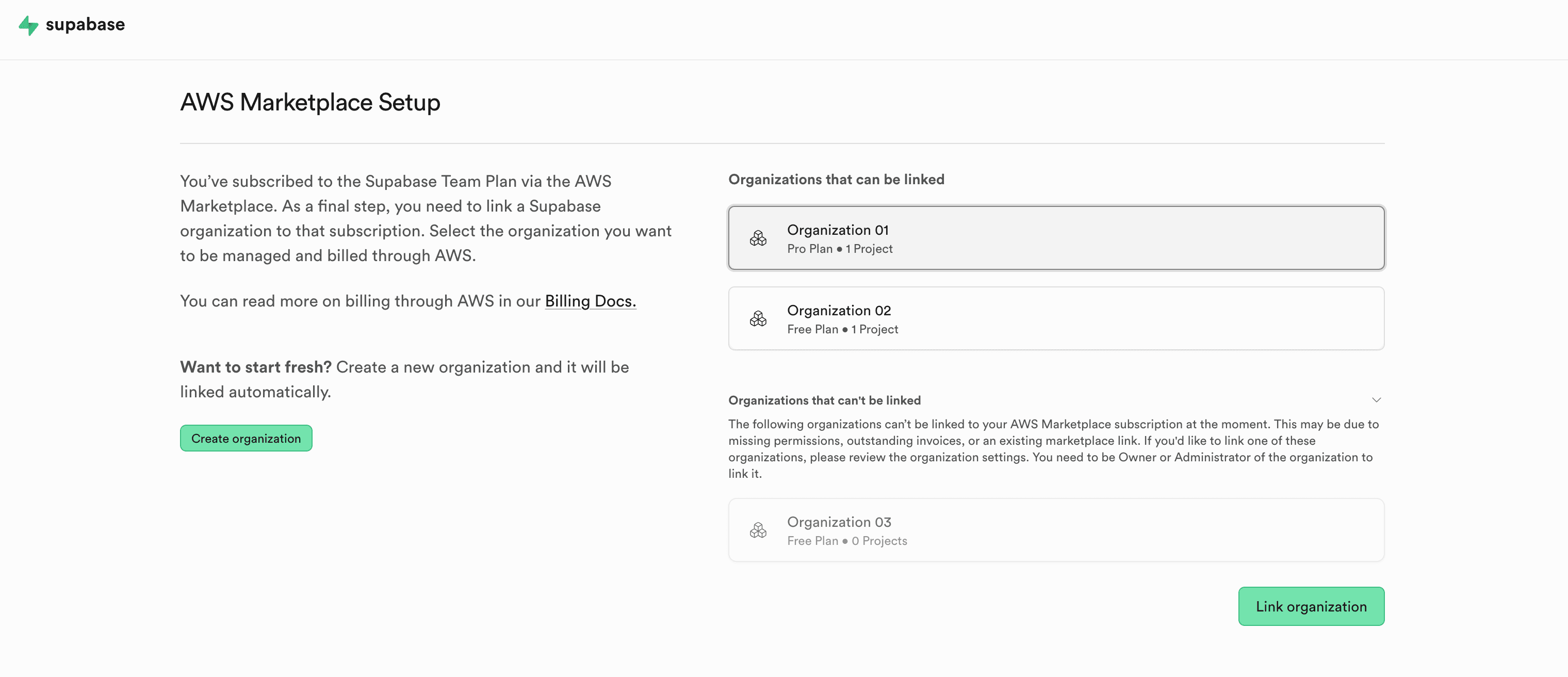
Implications of linking a Supabase organization to a marketplace subscription#
- The billing details from your AWS account, such as the billing address and tax ID, are used. These details are managed through the AWS Billing and Cost Management console.
- The subscription plan is managed through the AWS Marketplace. You can read more about this in the Manage your subscription guide.
- Charges will come from AWS rather than Supabase, using the default payment method set in your AWS account.
- The Spend Cap for the organization is disabled. The Spend Cap is not available for organizations managed through AWS.
- When you downgrade your plan to the Free Plan, all projects within the organization will be paused if you exceed the free projects limit.
Linking an existing Supabase organization#
Linking an existing organization will result in the following:
- The organization will be upgraded or downgraded to the plan purchased on the AWS Marketplace.
- The organization’s billing cycle will be adjusted. The start date will be set to the date your marketplace subscription became active.
- The credit card you have on file with Supabase may receive a closing charge. This charge covers usage costs incurred up until the point when the marketplace subscription became active.
Prerequisites for linking a Supabase organization to a marketplace subscription#
- The Supabase user must have the Owner or Admin role
- There must be no overdue invoices within the organization
- The organization must not already be managed through another marketplace (e.g. Vercel Marketplace)