Build a User Management App with Ionic Vue
This tutorial demonstrates how to build a basic user management app. The app authenticates and identifies the user, stores their profile information in the database, and allows the user to log in, update their profile details, and upload a profile photo. The app uses:
- Supabase Database - a Postgres database for storing your user data and Row Level Security so data is protected and users can only access their own information.
- Supabase Auth - allow users to sign up and log in.
- Supabase Storage - allow users to upload a profile photo.
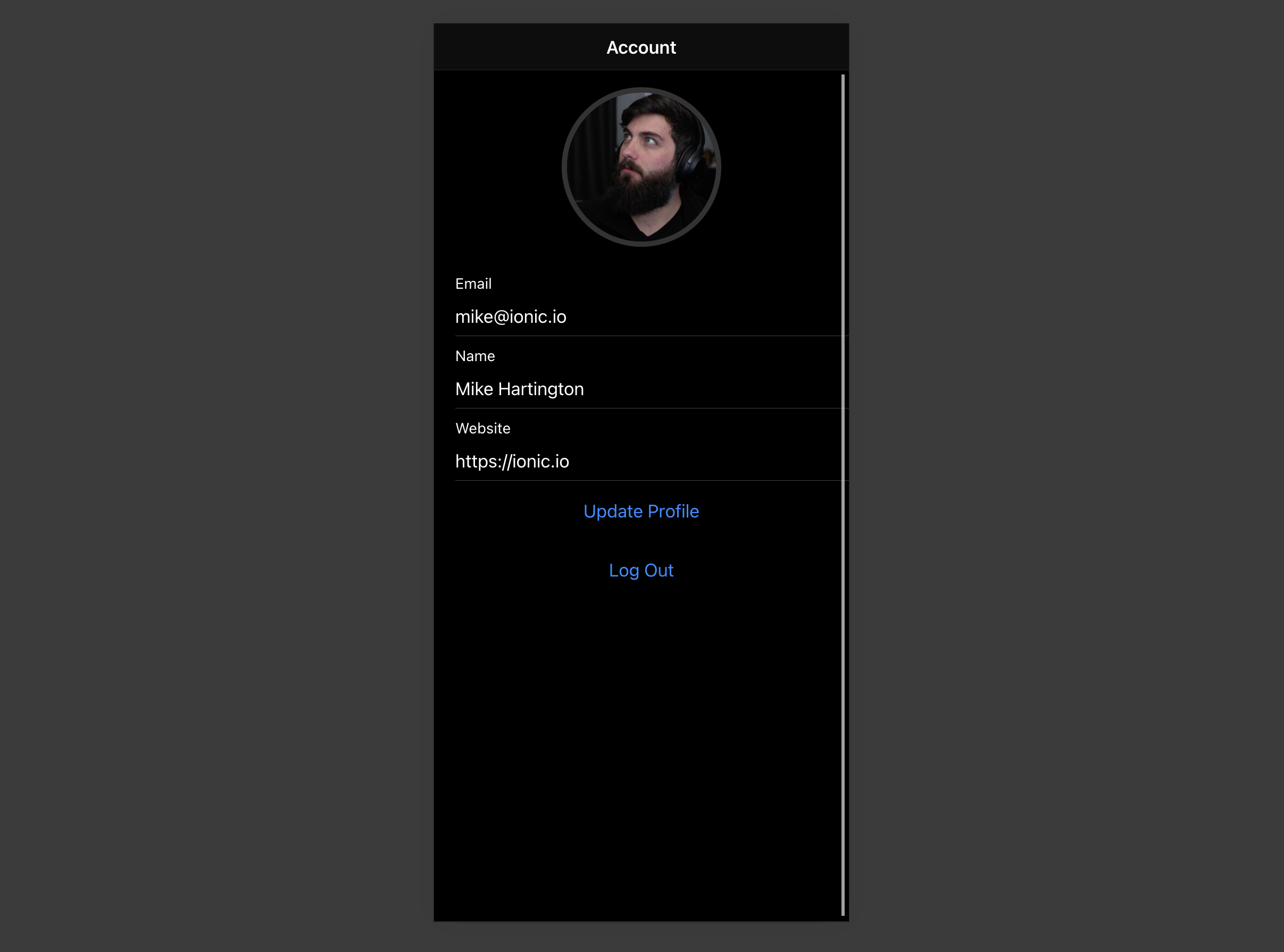
If you get stuck while working through this guide, refer to the full example on GitHub.
Project setup#
Before you start building you need to set up the Database and API. You can do this by starting a new Project in Supabase and then creating a "schema" inside the database.
Create a project#
- Create a new project in the Supabase Dashboard.
- Enter your project details.
- Wait for the new database to launch.
Set up the database schema#
Now set up the database schema. You can use the "User Management Starter" quickstart in the SQL Editor, or you can copy/paste the SQL from below and run it.
- Go to the SQL Editor page in the Dashboard.
- Click User Management Starter under the Reference > Examples tab.
- Click Run.
You can pull the database schema down to your local project by running the db pull command. Read the local development docs for detailed instructions.
supabase link --project-ref <project-id># You can get <project-id> from your project's dashboard URL: https://supabase.com/dashboard/project/<project-id>supabase db pullGet API details#
To interact with data in database tables, you use the client libraries that wrap the auto-generated Data API endpoints, authenticating using the Project URL and key from the project Connect dialog.
See API keys for a full explanation of all key types, their uses, and where to find them.
Building the app#
Start by building the Vue app from scratch.
Initialize an Ionic Vue app#
Use the Ionic CLI to initialize an app called supabase-ionic-vue:
npm install -g @ionic/cliionic start supabase-ionic-vue blank --type vuecd supabase-ionic-vueInstall the only additional dependency: supabase-js
npm install @supabase/supabase-jsSave the environment variables in a .env file, including the API URL and key that you copied earlier.
VUE_APP_SUPABASE_URL=YOUR_SUPABASE_URLVUE_APP_SUPABASE_KEY=YOUR_SUPABASE_KEYWith the API credentials in place, create a helper file to initialize the Supabase client. These variables will be exposed on the browser, and that's fine since Supabase enables Row Level Security on Databases by default.
import { createClient } from '@supabase/supabase-js'const supabaseUrl = process.env.VUE_APP_SUPABASE_URLconst supabaseKey = process.env.VUE_APP_SUPABASE_KEYif (!supabaseUrl) { throw new Error( 'Environment variable VUE_APP_SUPABASE_URL is not set. Please define it before starting the application.' )}if (!supabaseKey) { throw new Error( 'Environment variable VUE_APP_SUPABASE_KEY is not set. Please define it before starting the application.' )}export const supabase = createClient(supabaseUrl, supabaseKey)Set up a sign-in route#
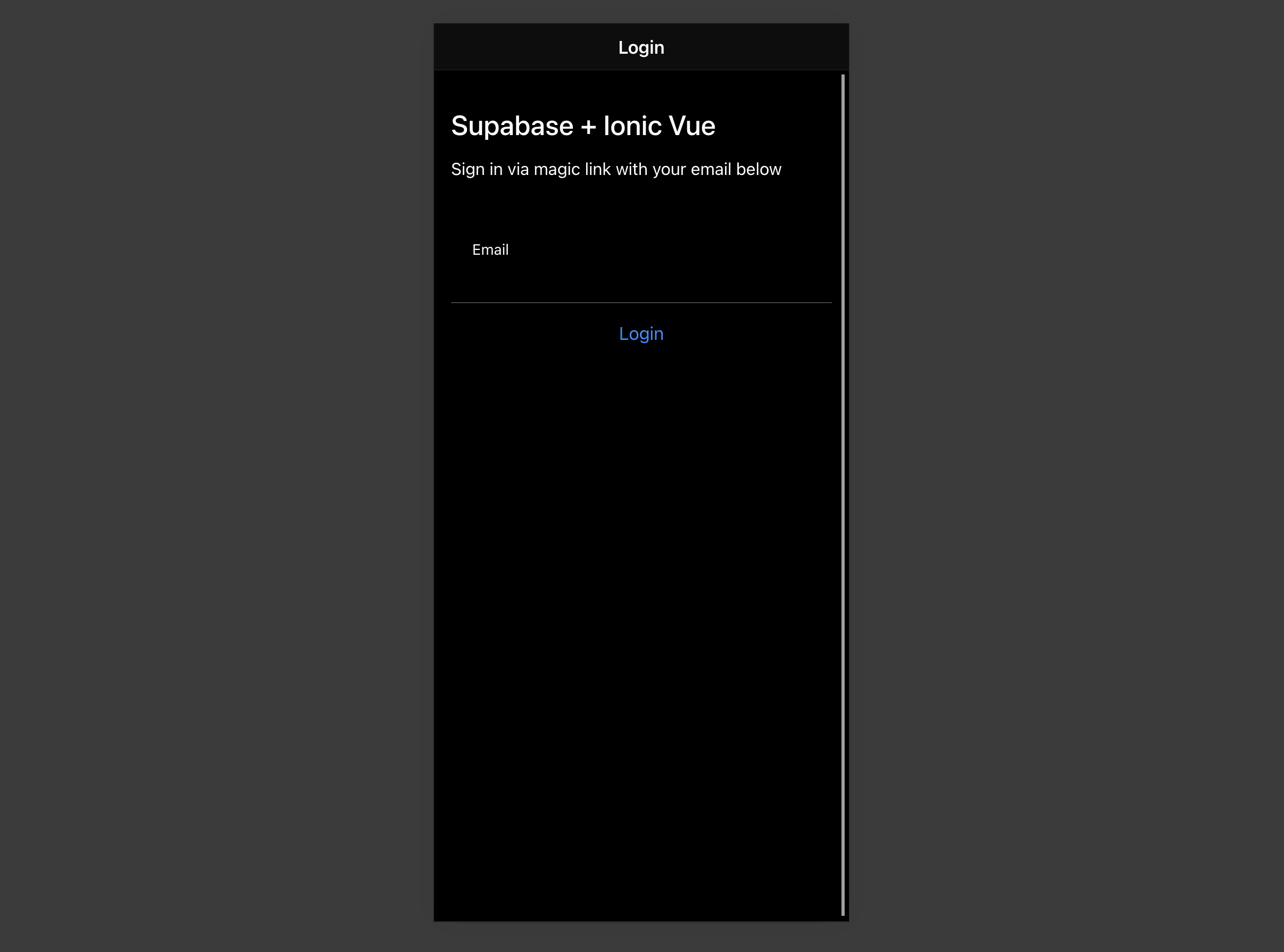
Create a Vue component to manage sign-ins and sign-ups that uses Magic Links, so users can sign in with their email without using passwords.
<template> <ion-page> <ion-header> <ion-toolbar> <ion-title>Login</ion-title> </ion-toolbar> </ion-header> <ion-content> <div class="ion-padding"> <h1>Supabase + Ionic Vue</h1> <p>Sign in via magic link with your email below</p> </div> <ion-list inset="true"> <form @submit.prevent="handleLogin"> <ion-item> <ion-input v-model="email" label="Email" label-placement="stacked" name="email" autocomplete="email" type="email" ></ion-input> </ion-item> <div class="ion-text-center"> <ion-button type="submit" fill="clear">Login</ion-button> </div> </form> </ion-list> </ion-content> </ion-page></template><script setup lang="ts">import { supabase } from '../supabase';import { IonContent, IonHeader, IonPage, IonTitle, IonToolbar, IonList, IonItem, IonInput, IonButton, toastController, loadingController,} from '@ionic/vue';import { ref } from 'vue';const email = ref('');const handleLogin = async () => { const loader = await loadingController.create({}); const toast = await toastController.create({ duration: 5000 }); try { await loader.present(); const { error } = await supabase.auth.signInWithOtp({ email: email.value }); if (error) throw error; toast.message = 'Check your email for the login link!'; await toast.present(); } catch (error: any) { toast.message = error.error_description || error.message; await toast.present(); } finally { await loader.dismiss(); }};</script>Account page#
After a user has signed in, let them edit their profile details and manage their account with a new component called Account.vue.
<template> <ion-page> <ion-header> <ion-toolbar> <ion-title>Account</ion-title> </ion-toolbar> </ion-header> <ion-content> // ... <form @submit.prevent="updateProfile"> <ion-item> <ion-label> <p>Email</p> <p>{{ email }}</p> </ion-label> </ion-item> <ion-item> <ion-input type="text" name="username" label="Name" label-placement="stacked" v-model="profile.username" ></ion-input> </ion-item> <ion-item> <ion-input type="text" name="website" label="Website" label-placement="stacked" v-model="profile.website" ></ion-input> </ion-item> <div class="ion-text-center"> <ion-button fill="clear" type="submit">Update Profile</ion-button> </div> </form> <div class="ion-text-center"> <ion-button fill="clear" @click="signOut">Log Out</ion-button> </div> </ion-content> </ion-page></template><script setup lang="ts">import { supabase } from '@/supabase';import { IonContent, IonHeader, IonPage, IonTitle, IonToolbar, toastController, loadingController, IonInput, IonItem, IonButton, IonLabel, useIonRouter,} from '@ionic/vue';import { onMounted, ref } from 'vue';import Avatar from '../components/Avatar.vue';// ...const router = useIonRouter();const email = ref('');const profile = ref({ username: '', website: '', avatar_url: '',});async function getProfile() { const loader = await loadingController.create({}); const toast = await toastController.create({ duration: 5000 }); await loader.present(); try { const { data: { claims } } = await supabase.auth.getClaims(); if (!claims) throw new Error('No user logged in'); email.value = (claims.email as string) ?? ''; const { data, error, status } = await supabase .from('profiles') .select(`username, website, avatar_url`) .eq('id', claims.sub) .single(); if (error && status !== 406) throw error; if (data) { profile.value = { username: data.username, website: data.website, avatar_url: data.avatar_url, }; } } catch (error: any) { toast.message = error.message; await toast.present(); } finally { await loader.dismiss(); }}const updateProfile = async () => { const loader = await loadingController.create({}); const toast = await toastController.create({ duration: 5000 }); try { await loader.present(); const { data: { claims } } = await supabase.auth.getClaims(); if (!claims) throw new Error('No user logged in'); const updates = { id: claims.sub, ...profile.value, updated_at: new Date(), }; const { error } = await supabase.from('profiles').upsert(updates); if (error) throw error; } catch (error: any) { toast.message = error.message; await toast.present(); } finally { await loader.dismiss(); }};async function signOut() { const loader = await loadingController.create({}); const toast = await toastController.create({ duration: 5000 }); await loader.present(); try { const { error } = await supabase.auth.signOut(); if (error) throw error; router.push('/', 'forward', 'replace'); } catch (error: any) { toast.message = error.message; await toast.present(); } finally { await loader.dismiss(); }}onMounted(() => { getProfile();});</script>Launch!#
With all the components in place, update App.vue and the app routes:
The Supabase Auth SDK contains three different functions for authenticating user access to applications:
Summary of the methods#
- Use
getClaimsto protect pages and user data. It reads the access token from storage and verifies it. Locally via the WebCrypto API and a cached JWKS endpoint when the project uses asymmetric signing keys (the default for new projects), or by callinggetUsersolely to validate when symmetric keys are in use. The returned claims always come from decoding the JWT, not from a user lookup. When the access token is close to expiring,getClaimsrefreshes the session before it verifies, which is how a server-rendered session stays alive. getUsermakes a network call to the project's Auth instance to get the user record, which includes the most up-to-date information about the user at the cost of a network call.getSessionwhen you need the raw session (the access token, refresh token, and expiry). For example to forward the access token to another service. The session is loaded directly from local storage and isn't re-validated against the Auth server, so the embedded user object shouldn't be trusted on its own when storage is shared with the client (cookies, request headers). To verify identity, validate the access token withgetClaims, or callgetUserfor a fresh, server-confirmed user record.
In summary: use getClaims to verify identity (typically for protecting pages and data), getUser when you need an up-to-date user record from the Auth server, and getSession when you need the access or refresh token directly, but don't rely on the user object it returns for authorization decisions.
import { createRouter, createWebHistory } from '@ionic/vue-router'import { RouteRecordRaw } from 'vue-router'import LoginPage from '../views/Login.vue'import AccountPage from '../views/Account.vue'import { supabase } from '../supabase'const routes: Array<RouteRecordRaw> = [ { path: '/', name: 'Login', component: LoginPage, }, { path: '/account', name: 'Account', component: AccountPage, },]const router = createRouter({ history: createWebHistory(process.env.BASE_URL), routes,})router.beforeEach(async (to, _from, next) => { const { data } = await supabase.auth.getClaims() const claims = data?.claims if (to.path === '/account' && !claims) { next('/') return } if (to.path === '/' && claims) { next('/account') return } next()})export default router<template> <ion-app> <ion-router-outlet /> </ion-app></template><script setup lang="ts">import { IonApp, IonRouterOutlet } from '@ionic/vue';import { onUnmounted } from 'vue';import router from './router';import { supabase } from './supabase';async function syncAuthRedirect() { const { data } = await supabase.auth.getClaims(); const claims = data?.claims; const path = router.currentRoute.value.path; if (claims && path === '/') { router.replace('/account'); } else if (!claims && path === '/account') { router.replace('/'); }}const { data: { subscription },} = supabase.auth.onAuthStateChange(() => { syncAuthRedirect();});onUnmounted(() => { subscription.unsubscribe();});</script>Once that's done, run this in a terminal window:
ionic serveAnd then open the browser to localhost:8100 and you should see the completed app.
Bonus: Profile photos#
Every Supabase project is configured with Storage for managing large files like photos and videos.
Create an upload widget#
First install two packages to interact with the user's camera.
npm install @ionic/pwa-elements @capacitor/cameraCapacitor is a cross-platform native runtime from Ionic that enables you to deploy web apps to app stores and provides access to native device API.
Ionic PWA elements is a companion package that polyfills certain browser APIs that provide no user interface with custom Ionic UI.
With those packages installed, update main.ts to include an additional bootstrapping call for the Ionic PWA Elements.
import { createApp } from 'vue'import App from './App.vue'import router from './router'import { IonicVue } from '@ionic/vue'/* Core CSS required for Ionic components to work properly */import '@ionic/vue/css/ionic.bundle.css'/* Theme variables */import './theme/variables.css'import { defineCustomElements } from '@ionic/pwa-elements/loader'defineCustomElements(window)const app = createApp(App).use(IonicVue).use(router)router.isReady().then(() => { app.mount('#app')})Then create an AvatarComponent.
<template> <div class="avatar"> <div class="avatar_wrapper" @click="uploadAvatar"> <img v-if="avatarUrl" :src="avatarUrl" /> <ion-icon v-else :icon="person" class="no-avatar"></ion-icon> </div> </div></template><script setup lang="ts">import { ref, toRef, watch } from 'vue';import { supabase } from '../supabase';import { Camera, CameraResultType } from '@capacitor/camera';import { IonIcon } from '@ionic/vue';import { person } from 'ionicons/icons';const props = defineProps<{ path?: string }>();const emit = defineEmits<{ upload: []; 'update:path': [value: string];}>();const path = toRef(props, 'path');const avatarUrl = ref('');const downloadImage = async () => { try { const { data, error } = await supabase.storage .from('avatars') .download(path.value!); if (error) throw error; avatarUrl.value = URL.createObjectURL(data!); } catch (error: any) { console.error('Error downloading image: ', error.message); }};const uploadAvatar = async () => { try { const photo = await Camera.getPhoto({ resultType: CameraResultType.DataUrl, }); if (photo.dataUrl) { const file = await fetch(photo.dataUrl) .then((res) => res.blob()) .then( (blob) => new File([blob], 'my-file', { type: `image/${photo.format}` }) ); const fileName = `${Math.random()}-${new Date().getTime()}.${ photo.format }`; const { error: uploadError } = await supabase.storage .from('avatars') .upload(fileName, file); if (uploadError) { throw uploadError; } emit('update:path', fileName); emit('upload'); } } catch (error) { console.log(error); }};watch(path, () => { if (path.value) downloadImage();});</script><style>.avatar { display: block; margin: auto; min-height: 150px;}.avatar .avatar_wrapper { margin: 16px auto 16px; border-radius: 50%; overflow: hidden; height: 150px; aspect-ratio: 1; background: var(--ion-color-step-50); border: thick solid var(--ion-color-step-200);}.avatar .avatar_wrapper:hover { cursor: pointer;}.avatar .avatar_wrapper ion-icon.no-avatar { width: 100%; height: 115%;}.avatar img { display: block; object-fit: cover; width: 100%; height: 100%;}</style>Add the new widget#
And then add the widget to the Account page:
<template> <ion-page> <ion-header> <ion-toolbar> <ion-title>Account</ion-title> </ion-toolbar> </ion-header> <ion-content> <avatar v-model:path="profile.avatar_url" @upload="updateProfile"></avatar> <form @submit.prevent="updateProfile"> <ion-item> <ion-label> <p>Email</p> <p>{{ email }}</p> </ion-label> </ion-item> <ion-item> <ion-input type="text" name="username" label="Name" label-placement="stacked" v-model="profile.username" ></ion-input> </ion-item> <ion-item> <ion-input type="text" name="website" label="Website" label-placement="stacked" v-model="profile.website" ></ion-input> </ion-item> <div class="ion-text-center"> <ion-button fill="clear" type="submit">Update Profile</ion-button> </div> </form> <div class="ion-text-center"> <ion-button fill="clear" @click="signOut">Log Out</ion-button> </div> </ion-content> </ion-page></template><script setup lang="ts">import { supabase } from '@/supabase';import { IonContent, IonHeader, IonPage, IonTitle, IonToolbar, toastController, loadingController, IonInput, IonItem, IonButton, IonLabel, useIonRouter,} from '@ionic/vue';import { onMounted, ref } from 'vue';import Avatar from '../components/Avatar.vue';const router = useIonRouter();const email = ref('');const profile = ref({ username: '', website: '', avatar_url: '',});async function getProfile() { const loader = await loadingController.create({}); const toast = await toastController.create({ duration: 5000 }); await loader.present(); try { const { data: { claims } } = await supabase.auth.getClaims(); if (!claims) throw new Error('No user logged in'); email.value = (claims.email as string) ?? ''; const { data, error, status } = await supabase .from('profiles') .select(`username, website, avatar_url`) .eq('id', claims.sub) .single(); if (error && status !== 406) throw error; if (data) { profile.value = { username: data.username, website: data.website, avatar_url: data.avatar_url, }; } } catch (error: any) { toast.message = error.message; await toast.present(); } finally { await loader.dismiss(); }}const updateProfile = async () => { const loader = await loadingController.create({}); const toast = await toastController.create({ duration: 5000 }); try { await loader.present(); const { data: { claims } } = await supabase.auth.getClaims(); if (!claims) throw new Error('No user logged in'); const updates = { id: claims.sub, ...profile.value, updated_at: new Date(), }; const { error } = await supabase.from('profiles').upsert(updates); if (error) throw error; } catch (error: any) { toast.message = error.message; await toast.present(); } finally { await loader.dismiss(); }};async function signOut() { const loader = await loadingController.create({}); const toast = await toastController.create({ duration: 5000 }); await loader.present(); try { const { error } = await supabase.auth.signOut(); if (error) throw error; router.push('/', 'forward', 'replace'); } catch (error: any) { toast.message = error.message; await toast.present(); } finally { await loader.dismiss(); }}onMounted(() => { getProfile();});</script>At this stage you have a fully functional application!